
Pengy
A local-first AI agent — 15 built-in tools that operate on your machine, with your approval.
A local-first AI agent — 15 built-in tools that operate on your machine, with your approval.
It's like strapping a set of power tools to an LLM. The model thinks, calls tools, gets results, thinks again. It writes files, runs bash, searches the web, maps your repos, runs your tests — and shows you every step, asking permission when it matters.
Qt6 GUI with tabbed chat, markdown rendering, collapsible tool blocks, sidebar with chat history & quick settings, and file attachments. The full cockpit.
Terminal REPL with slash commands, single-shot mode for scripting, inline @path attachments. Pipe it, cron it, live in it.
Responsive web UI with SSE streaming and CSRF/DNS-rebinding protection. Run it on a server, use it from your phone. Bootstrap, no bloat.
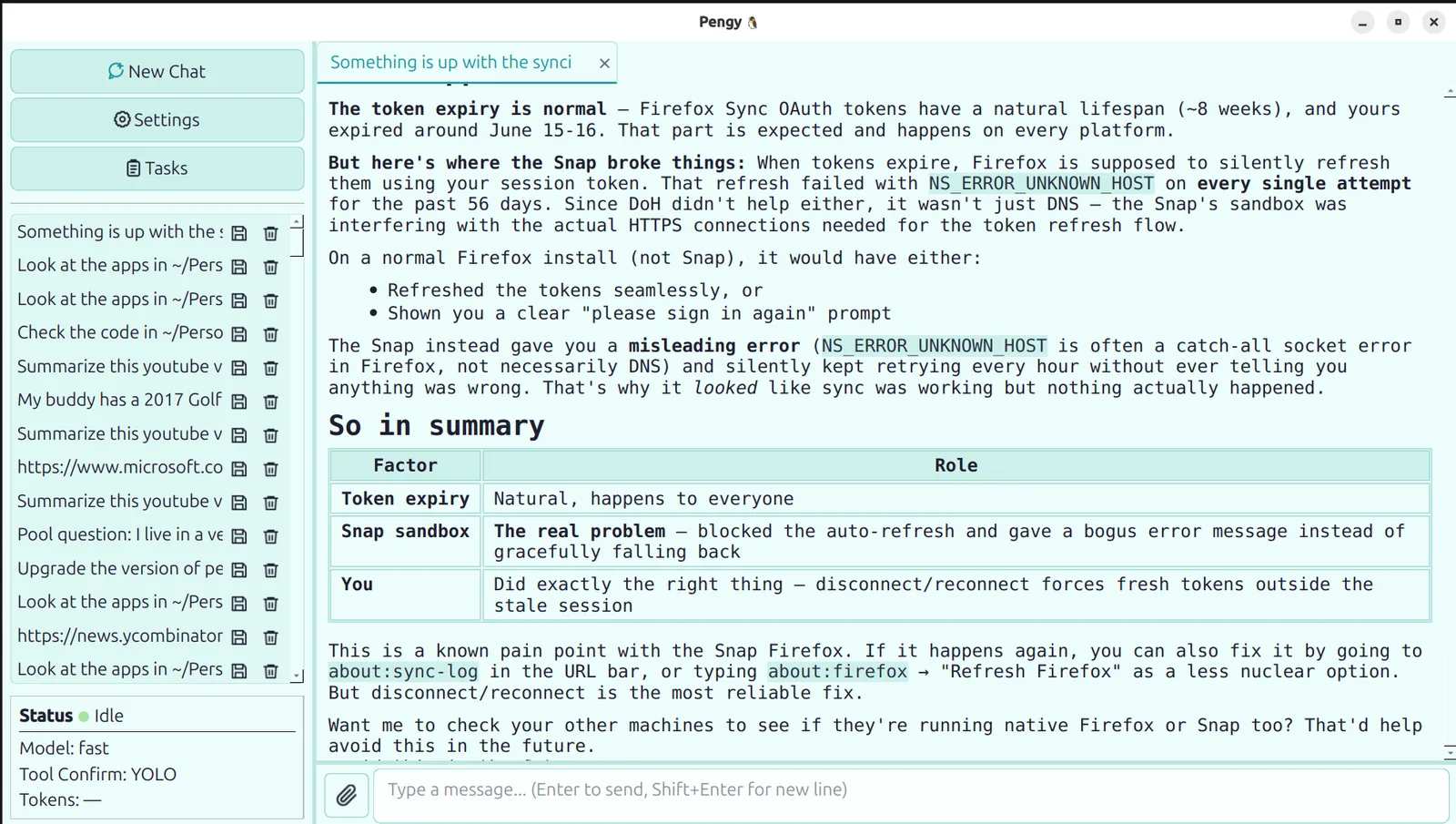
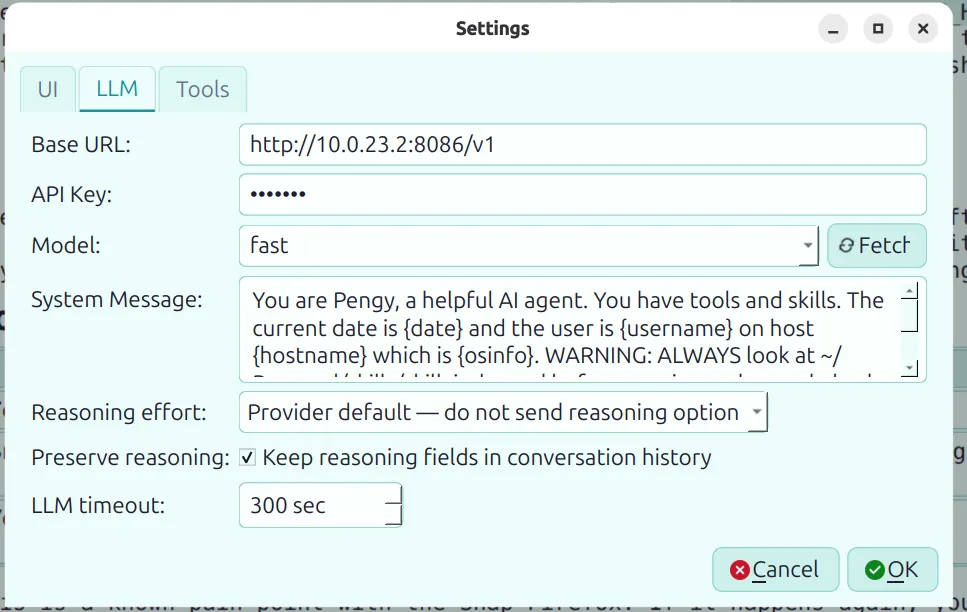
Three editions, same tools, same chat format. Settings and history live in ~/.config/pengy/ — shared across all three. Pick the one that fits your stack, switch anytime.
| Edition | Stack | Install | Vibe |
|---|---|---|---|
|
Pengy Python |
Python 3.10+ PySide6 + Flask |
pip install pengy[all] |
Reference Easiest to hack on |
|
PengyR Rust |
Rust core + Qt6 GUI Axum web · tokio |
./build_linux.sh or download release (AppImage, .deb, macOS .dmg, Windows .zip) |
High-perf Statically-linked core |
|
PengyCPP C++ |
Pure C++17 + Qt6 No Rust, no Python |
./build_linux.sh or download release (AppImage, .deb, macOS .dmg, Windows .zip) |
Leanest Smallest binary & memory |
All three ship pre-built releases for Linux (AppImage + .deb), macOS (.dmg), and Windows (.zip).
The desktop GUI lets you tailor the look and feel to your taste — no CSS wrangling required.
System, Light, or Dark. System follows your OS palette automatically — switch your desktop's theme and Pengy follows along.
Pick from Default, Blue, Teal, Green, Orange, Red, Pink, or Purple. Accent colours drive buttons, links, focus rings, and selection highlights across the whole UI.
Theme settings — theme_mode, theme_accent, and ui_scale (75–200%) — live in ~/.config/pengy/settings.json, shared across all three interfaces and all three editions (Python, Rust, C++). The chat view even scales markdown, code, and input fonts to match the UI scale, so everything stays consistent.
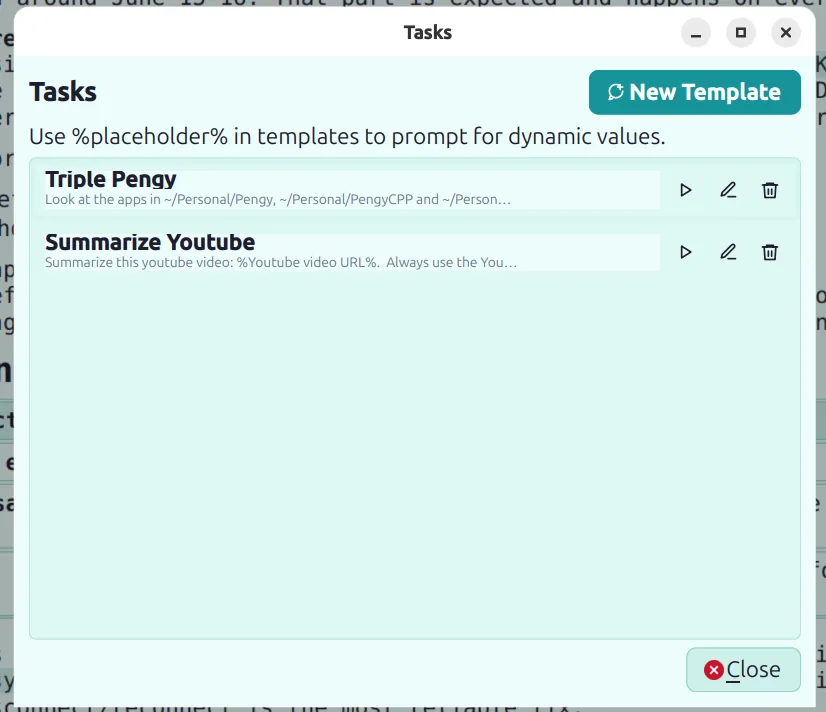
Reusable prompt templates for workflows you run on repeat — think of them as saved blueprints for your agent.
Write a prompt with %placeholder% tokens anywhere — a YouTube URL, a repo name, a topic. When you play a task, Pengy asks for each value once, then renders the full prompt and sends it through the normal chat pipeline.
Open Tasks from the desktop sidebar to create, edit, delete, or run templates. Tools, skills, history, and confirmation settings all work exactly as if you'd typed the prompt by hand.
Summarize this YouTube video: %Youtube Video URL%
Always use the youtube transcription skill.
Tasks are stored in ~/.config/pengy/tasks.json — shared between the Python, Rust, and C++ editions. Switch interfaces or switch editions, your templates follow you.
15 built-in tools the LLM can call. You decide how much it's allowed to do without asking.
The 15 built-in tools handle the basics. Skills let you teach Pengy anything you need — custom workflows, API integrations, system tasks, domain knowledge.
skills/
├── skill_index.md              ← the table of contents Pengy reads
├── weather/
│   ├── weather_skill.md          ← instructions (required)
│   └── get_weather_by_location.py  ← helper script (optional)
├── plot/                        matplotlib charts → PNGs
├── tts/                         text-to-speech on Ubuntu
├── repo_mapping/                map repo entry points & structure
└── test_orchestrator/           run tests, investigate failures
Included examples: weather via Tomorrow.io · matplotlib charts · text-to-speech · repo structure mapping · test orchestration · user profile · Pengy’s own bio.
📖 Read the full guide: github.com/patw/Pengy/skills
Each turn, the LLM can chain multiple tool calls — and you're in the loop.
Three confirmation modes: All (auto-approve everything), Safe (auto-approve read-only tools only), or None (confirm every tool). You choose.